October 5, 2026
OverlayNewBring your own artwork to an overlay: add a PNG or SVG and make its parts move with your data.
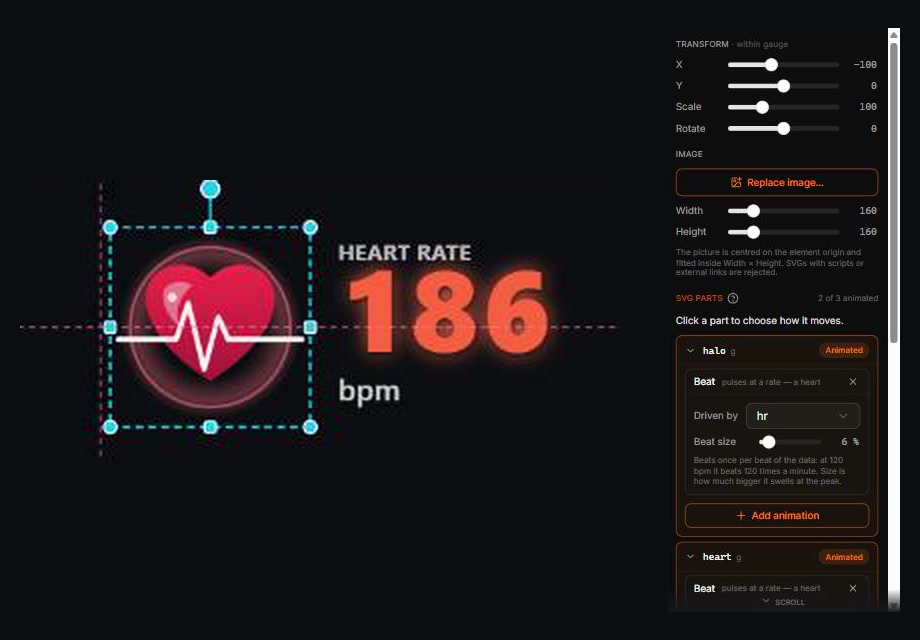
Add an Image (PNG/SVG) element to any gauge. A PNG moves as one piece. An SVG can do more: give layers or groups a name in Figma, Illustrator or Inkscape and each named piece shows up under SVG parts, ready to move on its own, a chainring and a cog, a needle on its dial, a heart and its ripple.
Press + Add animation on a picture, a part, an element or a whole gauge and pick what should happen:
- Follows your data: Spin (wheels and gears turn faster as the number rises), Tilt (a needle swings with the value), Beat (pulses at your heart rate), Grow / Shrink, Fade and Slide. Use speed, power, heart rate, cadence, slope or anything else the file has, and stack several on one piece.
- Reacts to a value: Pop, Shake or Flash each time a value passes a line you set, say, power crossing 80% of your range.
- Entrance and exit: Intro and Outro fade, slide or zoom the gauge in when your activity data starts and out as it ends.
- Loops: Blink and Bounce repeat on their own.
"From … to …" ranges fit your activity by default, so a needle fills its dial on a slow run and a fast ride alike. Pieces keep the order you drew them in, so a trace drawn over a heart stays over it while the heart beats. For something that swings from one end, like a needle, name a small circle <part>-pivot inside it to mark the point it turns about.
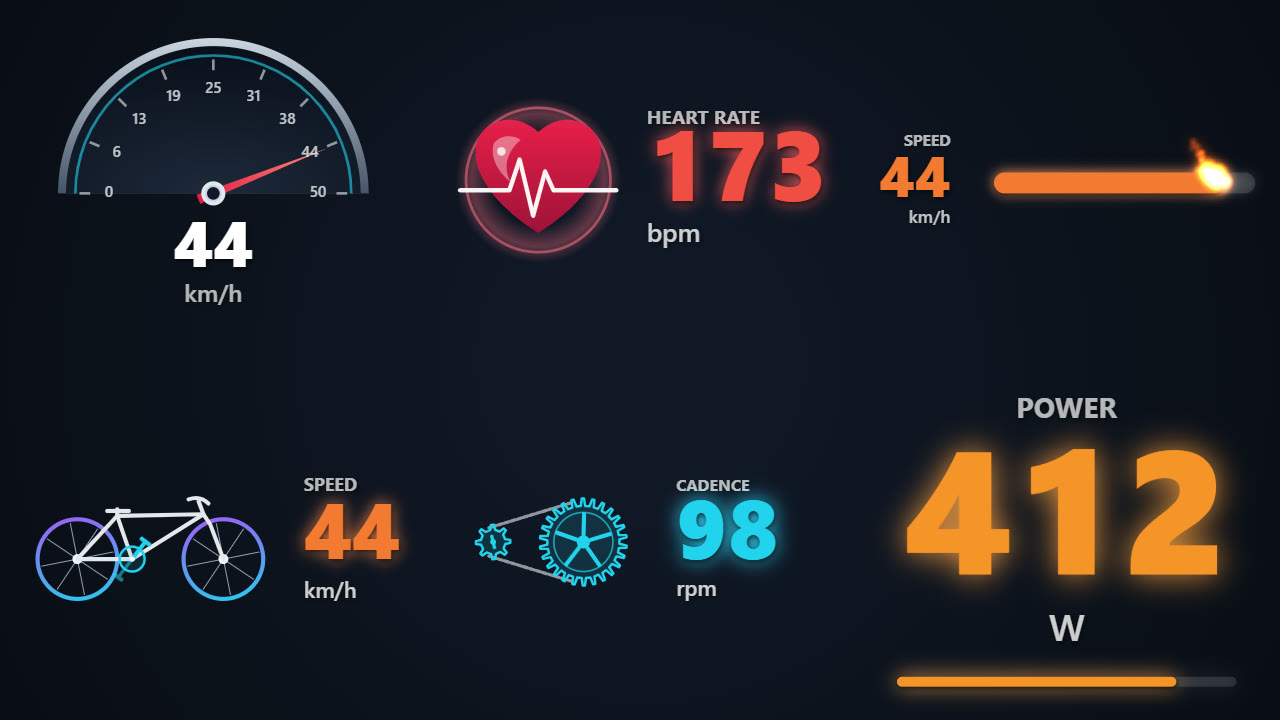
Don't want to draw? Start from the nine ready-made gauges. The speedometer with its swinging needle, the bike whose wheels turn with your speed, the drivetrain spinning at your cadence, the heart beating at your pulse, every one of them is this exact feature at work: an SVG with named parts and a couple of animations. Pick one at the end of any metric's list in the Gauges tab, then open it up, recolour it, re-time it, swap a part, or duplicate it and push it somewhere new. They are starting points, not black boxes.
Share a gauge. Export one gauge from its toolbar as a .gauge.json file, and bring someone else's in with Import gauge… in the project menu. Anything you import is checked first: images with scripts or links to the outside are left out.